Your 30-day personal reset · Notion template
Take control of your habits, spending and savings.
One simple Notion workspace to build better routines, see where your money goes, and track your progress over the next 30 days.
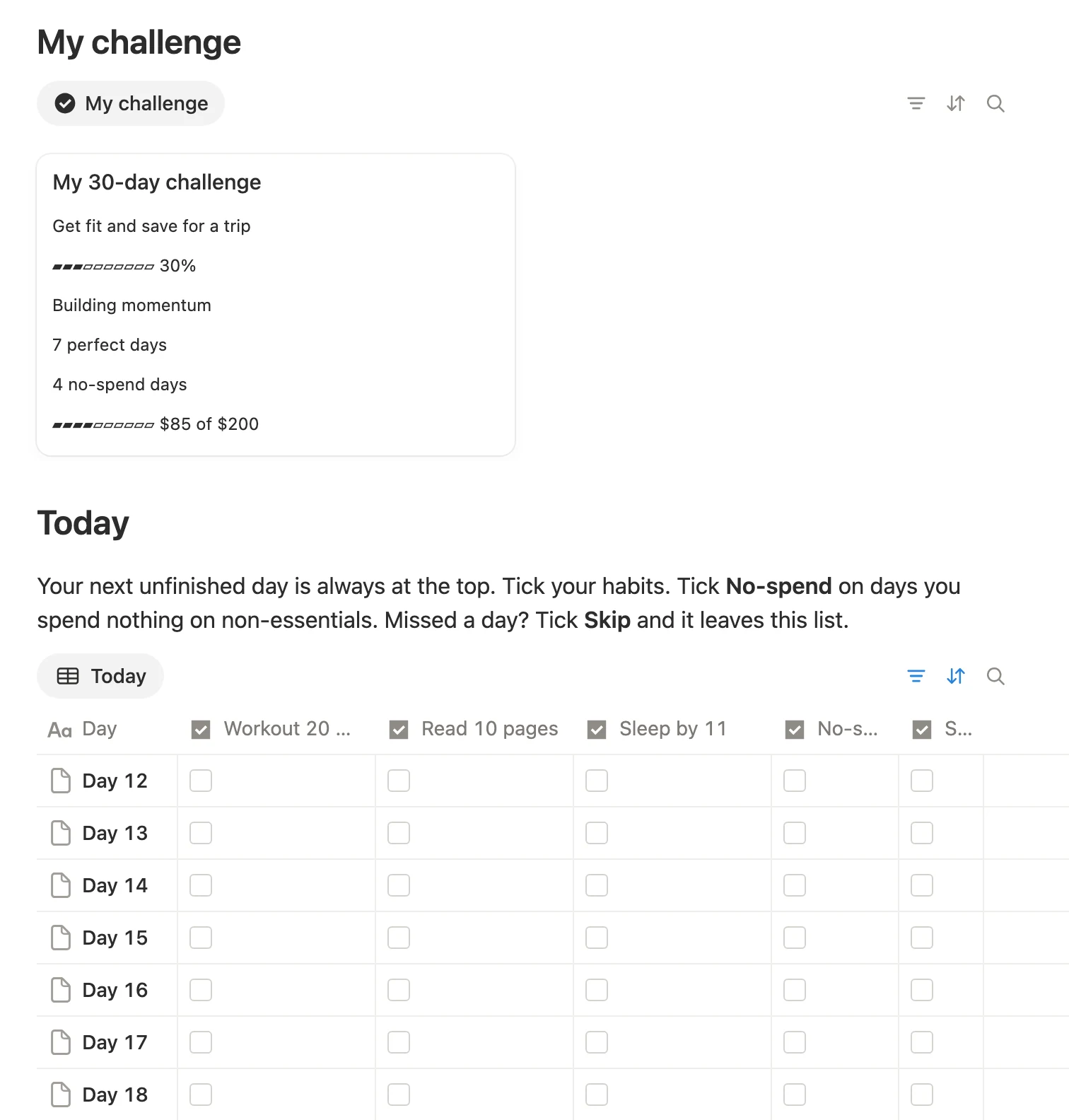
Real screenshot of the template, with example data. Habit names are yours to change.
Who it’s for
Made for people who keep restarting.
- You start strong, then lose track by week two.
- You want habits and spending in one place, not five apps.
- You’d rather type a habit than edit a formula.
Most trackers ask you to build a system first. This one is already built. You just show up.
All 30 days are pre-filled. Name your three habits and your reset starts today.How it works
Three steps. That’s it.
Name your 3 habits
Click a column name and type your own habit, or start from one of five ready presets.
Tick them each day
One tap per habit. Mark a no-spend day when you spend nothing extra.
Log spending, see progress
Add expenses as you go. Progress, perfect days and your savings bar update on their own.
Product preview
This is the real template.
Screenshots taken from the actual Notion page, with example data filled in so you can see how it works.
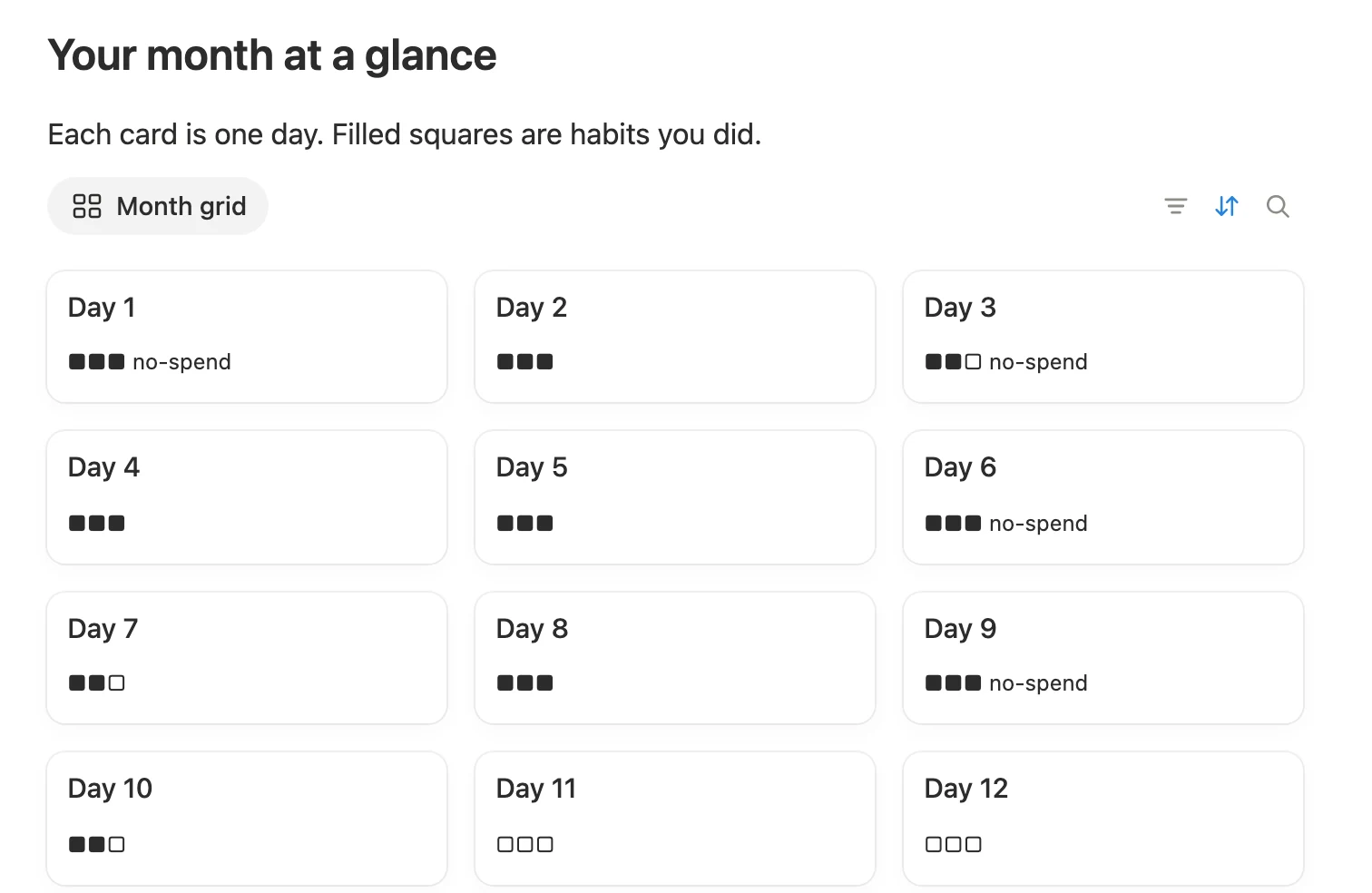
Every day is a card. Filled squares are habits you did, and “no-spend” marks your no-spend days.
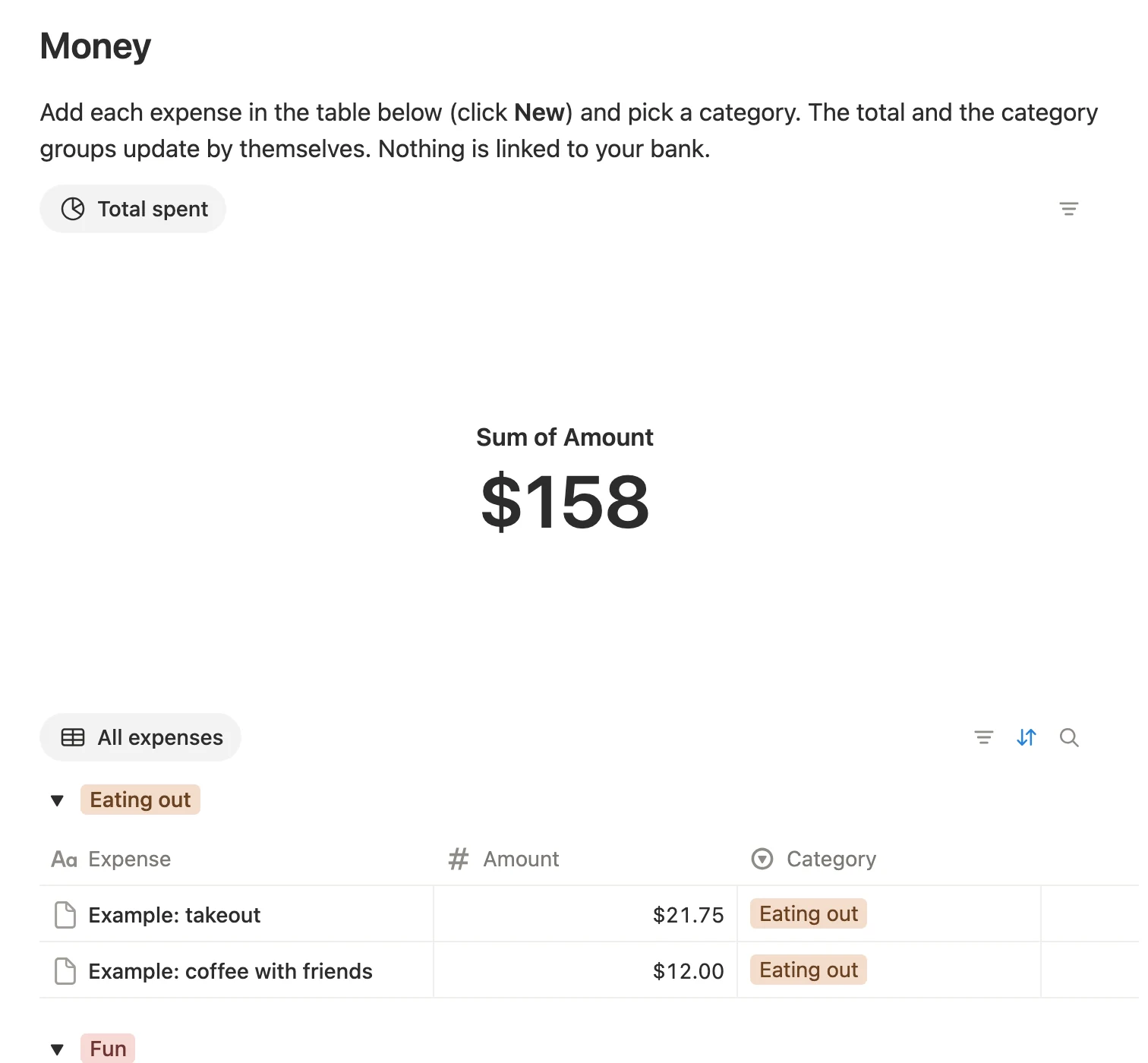
Add an expense and pick a category. The total updates by itself, and expenses are grouped by category.
Your next unfinished day is always at the top. Missed a day? Tick Skip and it leaves the list.
Start tonight
Not sure what to track? Pick a preset.
Five ready-made habit sets are included on the page. Copy one in and you’re off.
Glow-up
- 2 liters of water
- Skincare AM and PM
- 20-minute walk
Reset
- Wake up before 8
- Tidy for 10 min
- One screen-free hour
Fitness
- Workout 20 min
- Protein every meal
- Sleep 7+ hours
Study
- 45 min of focus
- Review notes 10 min
- Phone in another room
Money reset
- Log every expense
- Cook at home
- Check savings goal
Get started
One price. Yours to keep.
No subscription. Ever.
- 30-day habit tracker, pre-built
- Spending log with a total and category groups
- Savings goal and no-spend days
- Subscription list
- 5 habit presets and a quick-start guide
7-day money-back guarantee
Questions? See support details
Join the waitlist and get a launch-day email. No payment needed now.
Questions
Good to know.
What do I get after paying?
An email with a link to the template. Open it in Notion and press Duplicate to copy it into your own workspace.
Do I need to pay for Notion?
No. The free Notion plan is enough. Free workspaces are limited to one chart, so the template uses exactly one, your total spent. If your free chart is already used elsewhere, that number may not show, and everything else still works.
Does it connect to my bank?
No. You add expenses yourself and everything stays in your own Notion. Nothing is shared with us or anyone else.
Can I change the habits?
Yes. Click a column name and type your own, or copy one of the five presets.
Does it work on my phone?
Yes. Open it in the Notion mobile app and tick your habits and add expenses in a few taps.
What if I miss a day?
Nothing breaks. Tick Skip on that day and it leaves your Today list. Everything you’ve done so far is kept.
Is this financial advice?
No. It’s a simple tracking tool for your own use. It doesn’t give financial, medical or health advice.
What if it’s not for me?
Email support within 7 days of purchase for a full refund.